
One phone number your whole team can share
Everyone calls and texts from the same business number. Customers reach your team, not just you. Full conversation history, zero confusion.
Trusted by 10,000+ teams sharing phone numbers








Work together without stepping on each other
Always covered
When one person is busy, someone else can answer. No more missed calls because the "phone person" is at lunch.
Full context
Everyone sees the conversation history. No more asking customers to repeat themselves or hunting for notes.
One number
Customers remember one number. Put it on your website, business cards, and ads. Your team handles the rest.
Share a number without the chaos
Phone2 keeps everyone in sync with smart routing and shared visibility.
See every call, text, and voicemail in one place
Your team's conversations live in a shared inbox. Anyone can see what's happening and jump in when needed. No more forwarding screenshots.
Learn about shared inboxRing everyone or route by rules
Ring all team members at once, use round-robin, or set custom routing based on time, availability, or caller ID.
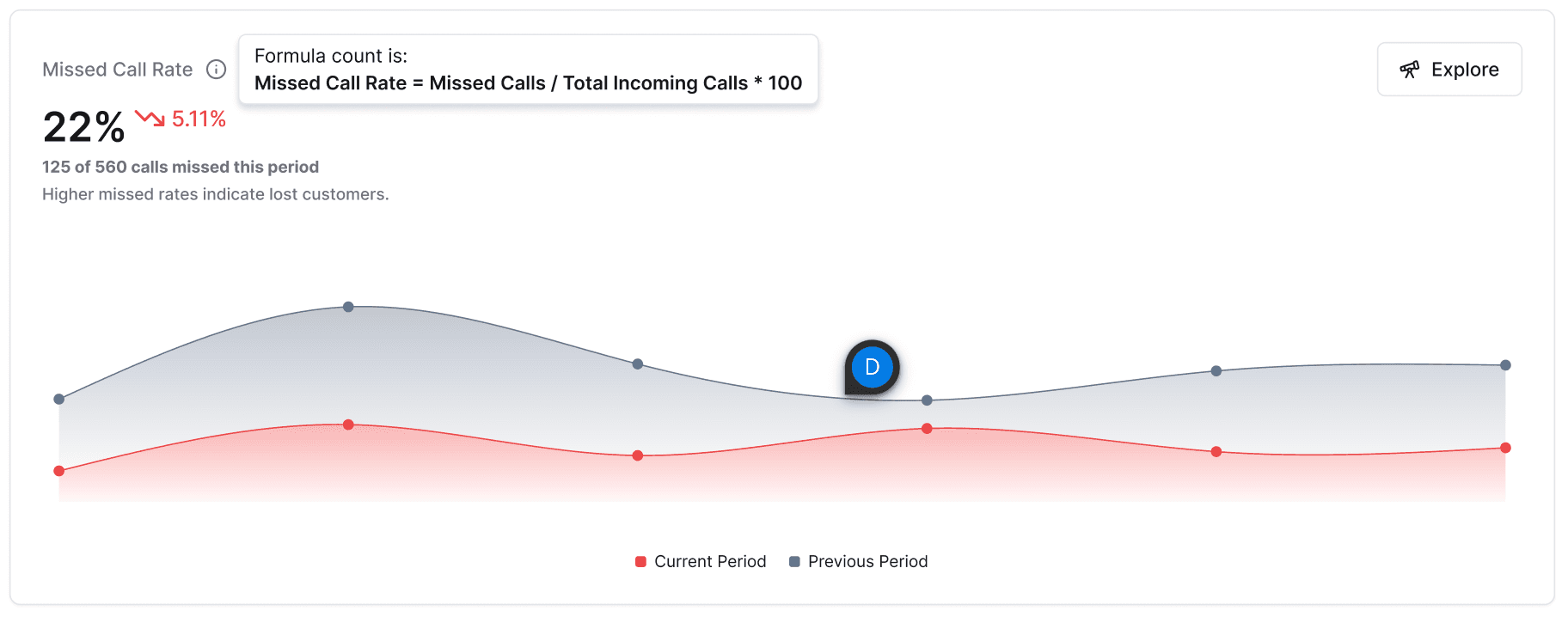
See who's available
Know when teammates are on calls, away, or available. Route calls to the right person automatically.
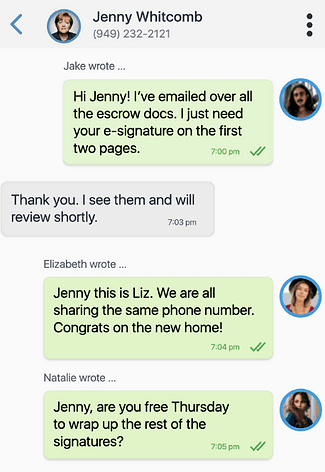
Collaborate behind the scenes
Add notes to any conversation. Tag teammates for follow-up. Customers never see your internal coordination.
Take your shared number anywhere
iPhone, Android, and desktop apps. Make calls from your business number while keeping your personal number private.
See how your team is performing
Track call volume, response times, and team activity. Identify bottlenecks and coach effectively with real data.
Learn about analyticsTeams that switched to shared numbers
"Before Phone2, customers would call my cell and I'd be stuck on vacation answering work calls. Now anyone on my team can handle it, and they have all the context they need."
Marcus Rodriguez
Owner, Rodriguez Plumbing
"We had 5 different phone numbers and customers never knew which one to call. Now we have one number, and whoever's free picks up. Response time dropped from hours to minutes."
Sarah Lin
Operations Manager, Coastal Rentals
Frequently asked questions
Everything you need to know about shared phone numbers.
When you create a shared number in Phone2, every team member with access can make and receive calls from that number. Incoming calls ring everyone (or follow your routing rules), and any team member can respond to texts. The full conversation history is visible to all.
Customers always see your business number, regardless of which team member is calling. Your personal cell number stays private. You can also customize the caller ID name that appears.
Yes. You can assign team members to specific shared numbers. Some numbers can be company-wide (like your main line), while others can be department-specific (like sales or support).
You configure this in your call flow. Options include: ring the next available person, send to voicemail, play a message, or queue the call. Phone2 shows team availability in real-time.
Yes, that's the point! Everyone with access to a shared number sees the full conversation thread—calls, texts, voicemails, and internal notes. This eliminates "who talked to this customer?" confusion.
Use internal notes to tag a teammate, or do a warm transfer during a live call. The next person sees the full context before picking up. No more "can you start from the beginning?"
Yes. Team members download the Phone2 app on their personal iPhone or Android. Calls and texts go through the app, keeping work and personal separate. Desktop apps are also available.
Stop missing calls. Start sharing.
Get a shared business number your whole team can use. Set up in minutes.
No credit card required. Free 7-day trial.